iHeart: Music, Radio, Podcasts
- 4.6
- Rating
- 50.00M
- Installs
- Free
- Price

 Analysis by App-foxy
I spent time with iHeart as an everyday music and audio app, and my first impression was that it is less about owning a perfectly organized personal library and more about making listening easy. It brings radio stations, music discovery, podcasts, and seasonal programming into one place, which makes it especially comfortable when I know the mood I want but do not want to build a playlist from scratch.
The app is free to download, and iHeartMedia, Inc. is the developer behind it. Its broad audience is reflected in its reach: it has passed 50 million installs and holds a 4.6 average rating from around 2.3 million ratings. Those figures do not automatically make an app good, but they fit my experience of a mature service that is designed for quick, familiar listening rather than a complicated audiophile setup.
How I use iHeartRadio in a normal day
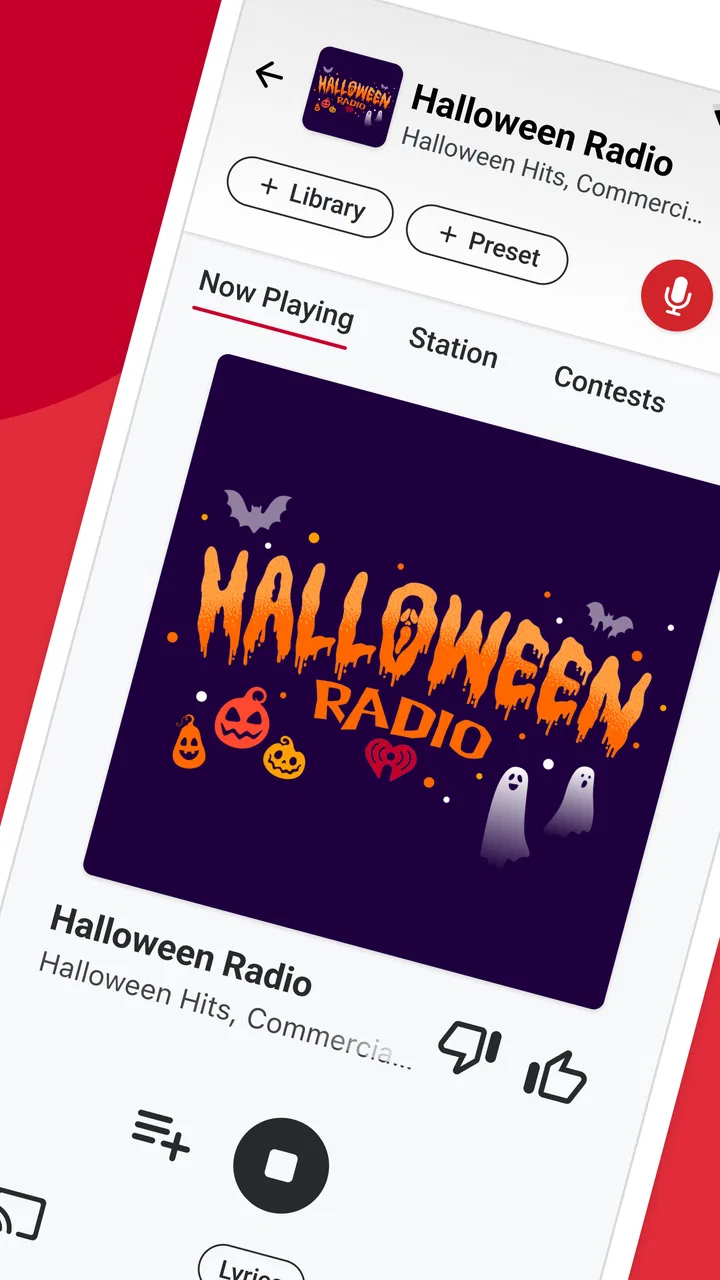
My most useful baseline workflow is simple. I open the app, choose whether I want music, a radio station, a podcast, or something seasonal, and start listening before I have spent much time browsing. That matters when I am cooking, commuting, getting ready for work, or having background audio on while doing chores. The service summary highlights holiday listening, and in practice that seasonal focus is a pleasant change from repeatedly searching for Christmas tracks one by one.
You May Also Like

 Pandora - Music & Podcasts
Pandora’s Music Is Easy to Start, but Harder to Recover
Pandora’s strength is its low-effort path from a seed to a station. Its weak spot is how much confidence it asks you to place in connection, setup, and quiet recovery.

 8 Ball Pool
 Is Built on Rivalries, Rematches, and Routine
A close look at the rivalries, rematches, shared routines, and unanswered safety questions that turn a quick pool match into a persistent mobile community.

 Samsung Music
’s Quiet Strength Is Playing What You Already Own
Its reach comes less from spectacle than from dependable access to a personal library. That simplicity is both the app’s strongest retention engine and its ceiling.

 AccuWeather: Weather Radar
AccuWeather Review: A Quick, Clear Forecast for Everyday Decisions
For everyday plans, the best forecast is the one you can understand quickly. AccuWeather makes rain timing, radar, and local conditions easy to act on, with a few trade-offs.

 Hill Climb Racing
Why Hill Climb Racing Still Turns Crashes Into One More Run
A tiny car, a bumpy hill and one more upgrade: Hill Climb Racing keeps resurfacing because its simple chaos makes every near-miss feel personal.

 AliExpress - Shopping App
AliExpress Makes Global Shopping Feel Personal, but Shoppers Bear the Risk
AliExpress turns a global marketplace into a pocket-sized discovery engine. Its reach is useful, its shopping loop compelling, and its trade-offs easy to miss.
More From Our News Desk
View All News


Radio is the part I return to when I want a continuous stream with less decision-making. A station gives the session a direction, while a playlist or on-demand choice is better when I already have a specific artist or style in mind. I like having both options in the same app because my listening habits change during the day. I may want familiar music in the morning, spoken content during a walk, and a festive station later without moving between several unrelated services.
Podcasts also make the app more useful than a radio-only application. I can switch from passive listening to an episode when I want a more deliberate program. The trade-off is that iHeartRadio feels strongest as a broad audio hub. Someone who wants a highly specialized podcast manager, deep library tools, or extremely detailed music organization may find a dedicated alternative more focused.
A realistic example is a weekend drive. Before leaving, I choose a station rather than trying to queue a long list of songs. If the mood changes, I move to a podcast or a different station instead of interrupting the trip to search through several apps. That workflow is not flashy, but it reduces small decisions, and those small decisions are where many audio apps become tiring.
The first settings I would check
I recommend spending a few minutes looking through the app’s available playback and account settings before making it your main audio tool. The exact choices visible to you can depend on the current app version and device, but the principle is consistent: adjust the experience around how you listen rather than accepting every default. Check notification behavior first if you dislike frequent prompts, because an audio app can become annoying when it interrupts the rest of your phone experience.
I would also review how the app handles your listening routine. If you mostly use radio, keep your preferred stations easy to reach. If podcasts are your priority, organize your listening around the shows you actually return to rather than treating every recommendation as something you need to follow. The most effective setup is not the one with the most saved items; it is the one that lets you begin listening with the fewest taps.
Another practical habit is to test playback before relying on it during a commute or trip. Start a station, move between sections, and confirm that the app behaves comfortably on your connection. Streaming services are convenient, but convenience depends on signal quality and data access. I would not wait until I am already driving or away from home to discover that a preferred listening routine needs better preparation.
The free model is a major reason to try it, but the app also includes in-app purchases ranging from around five dollars to roughly thirteen dollars per item. I would treat those purchases as optional decisions, not as a reason to assume the basic experience will suit everyone. Before paying, I would use the free version long enough to learn whether the station selection, podcast workflow, and advertising or interruption pattern fit my habits.
Shortcuts that make repeated listening easier
Experienced use of iHeartRadio is mostly about repetition. When I find a station that works for a certain activity, I return to it instead of restarting discovery every time. The same idea applies to podcasts: I keep my attention on a small group of shows rather than opening the app and browsing endlessly. This creates a personal routine even though the service itself is built around a large amount of content.
One useful pattern is to decide the type of session before opening the app. If I want background music, I go directly toward radio. If I want to catch up on spoken content, I avoid the music area and head to podcasts. If I am looking for a particular mood, I use discovery rather than expecting one station to work for every situation. This sounds obvious, but separating those intentions prevents the common problem of spending more time choosing than listening.
I also find it helpful to use different starting points for different environments. At home, browsing is fine because I can experiment. Outside, I prefer a known station or program because I want fewer interruptions and less screen time. In the car, I would prepare the session before moving, use the vehicle’s supported controls when available, and avoid turning the phone into a browsing screen while driving. The app is most useful when it supports the activity rather than competing with it.
For holiday listening, I would make a seasonal routine instead of searching for individual songs every day. Choose a festive station or collection when you want continuous atmosphere, then return to regular music when the season is no longer the point. This is one of the app’s clearer strengths: it can turn a temporary occasion into a simple listening mode without requiring me to curate a complete holiday library.
Another small but important habit is to notice how I react to recommendations. I do not save everything that sounds acceptable. I keep only the stations, shows, or listening paths that I would genuinely use again. That keeps the app feeling like a tool rather than a large catalog that I have to manage. It also makes the next session faster because my choices reflect real behavior instead of one-time curiosity.
Where it compares well with familiar alternatives
Compared with a music-only streaming service, iHeartRadio feels more spontaneous and broadcast-oriented. I can listen without approaching every session as a personal playlist project. That is ideal for people who enjoy radio’s sense of flow or who want music and spoken audio together. A dedicated music service may be better if precise album control, extensive playlist editing, or a carefully maintained personal collection is the main goal.
Compared with a traditional radio app, iHeartRadio offers a broader mix of listening types. The inclusion of podcasts means I am not limited to whatever is currently playing on a station. That makes it more flexible for a full day, especially when I want to change from music to conversation without installing another service. The downside is that a broader app can feel less specialized than a tool built around only live radio.
Compared with a podcast-first application, its podcast experience is part of a wider audio environment rather than the entire identity of the product. I appreciate that when I want variety, but a heavy podcast listener may prefer an app with more dedicated episode-management controls and a stronger focus on long-term subscriptions. My recommendation depends on whether podcasts are one part of your listening or the center of it.
The app’s age rating is Teen, which is worth keeping in mind for families deciding whether it belongs on a shared device. I would still use ordinary judgment about what individual stations, programs, or episodes are appropriate for the listener. A broad audio catalog can serve different audiences, so the rating should not be treated as a promise that every piece of content will suit every household.
Limits that become clearer with advanced use
The biggest limitation for me is that convenience and control do not always arrive together. The app is good at getting audio started, but listeners who want complete control over every detail may find the experience less satisfying than a specialized service. Radio naturally involves less control than a hand-built playlist, and a combined music, radio, and podcast app has to balance several kinds of listening instead of optimizing for only one.
Streaming also changes the best way to use it. If your connection is inconsistent, the smoothest experience may require more preparation and patience than the simple interface suggests. I would test important listening routines before depending on them away from home. This is particularly relevant for long journeys, where a service that works perfectly in a strong signal area may not feel equally dependable everywhere.
I would also be cautious about assuming that free means frictionless. The app costs nothing to download, but the overall listening experience can still involve interruptions, prompts, or optional purchase decisions. Those details matter more to someone who wants uninterrupted audio for hours every day than to someone who listens casually. The sensible approach is to try it during your actual routine, not just during a quick five-minute test.
Another limit is attention. Because the app includes several audio categories, it can encourage browsing when I only intended to press play. My solution is to decide in advance whether I am opening it for a station, a podcast, or seasonal music. Without that boundary, the variety becomes a distraction. This is not a defect unique to the interface; it is a consequence of putting many listening paths together, but it is still something users should manage.
The service is not my first choice for someone who wants a completely private, offline-centered music collection or a meticulous library built around owned files. It is also less suitable for a listener who dislikes radio-style discovery and wants to select every track manually. In those cases, another category of app would be a better match. iHeartRadio earns its place when flexibility and easy access matter more than total control.
Who will get the most from it
I think the app is a strong fit for casual listeners, radio fans, families sharing broad audio interests, and people who want music and podcasts in one destination. It is especially convenient for someone who often says, “I just want something good to play,” rather than naming a precise album or episode. The free entry point makes experimentation easy, while the large installed base suggests that it is familiar enough to feel approachable for many Android and iOS users.
It is also useful for seasonal listening. If Christmas music is part of your routine, having a dedicated way to move into that atmosphere is more practical than rebuilding the same search every year. I would not choose the app only for that purpose, but the holiday angle gives it a clear advantage during the season and adds variety to an otherwise ordinary radio routine.
I would suggest skipping it if you need a highly controlled music archive, if you rely heavily on offline listening, or if your main requirement is advanced podcast organization. I would also skip it if you strongly dislike the style of radio listening where the service decides much of the sequence. There is no benefit in forcing yourself into a broad audio hub when a narrower tool matches your habits better.
My final routine and recommendation
After using it as a general audio companion, I see iHeartRadio as a practical middle ground. It is more versatile than a basic radio player and less specialized than a service built exclusively for music libraries or podcasts. The best results come from creating a few repeatable starting points, checking notifications and playback preferences, and resisting the urge to browse every category each time you open it.
My advice is to begin with the free version and test it in three real situations: a short everyday listening session, a longer period with a station, and a podcast or seasonal session. That will tell you more than a quick glance at the catalog. Pay attention to how quickly you can start, how comfortable the interruptions feel, and whether the app gives you enough control for your preferred style.
With around 688 thousand reviews and a free download model, it is easy to understand why the app attracts such a large audience. Still, popularity should not hide the trade-off: its strength is breadth and convenience, while its weakness is that no single audio category receives the total focus of a dedicated competitor.
My verdict is positive for listeners who want an approachable mix of radio, music, podcasts, and seasonal programming. I would recommend it to a friend who wants reliable variety without managing several separate apps. I would not recommend it to someone demanding a fully customized, offline-first music library. Used with a few deliberate habits, iHeart becomes a quick, flexible listening tool rather than just another app I open and abandon.
FAQs for iHeart: Music, Radio, Podcasts
01What is iHeart: Music, Radio, Podcasts and how does it work?
iHeart: Music, Radio, Podcasts is a versatile app that allows users to stream live radio stations, listen to popular music playlists, and enjoy a wide range of podcasts. The app personalizes your experience based on your listening habits, offering tailored recommendations. It’s a one-stop solution for audio entertainment, suitable for music lovers and podcast enthusiasts alike.
02Is iHeart available for free, or do I need a subscription?
iHeart offers a free version with access to thousands of live radio stations and a selection of playlists and podcasts. However, for those seeking an ad-free experience and additional features like unlimited skips and offline listening, iHeartRadio Plus or iHeartRadio All Access subscriptions are available for a monthly fee.
03Can I listen to iHeart offline?
Offline listening is available through the iHeartRadio All Access subscription. This feature allows you to download your favorite playlists, albums, and podcasts to enjoy when you’re not connected to the internet, making it convenient for travel or areas with limited connectivity.
04How does iHeart personalize my listening experience?
iHeart uses algorithms to analyze your listening habits and preferences. Based on your usage, it suggests playlists, radio stations, and podcasts that align with your tastes. The more you listen and interact with the app, the better it becomes at curating content specifically for you.
05What devices support the iHeart app?
The iHeart app is compatible with a wide range of devices, including smartphones and tablets running on Android and iOS. Additionally, it can be accessed via web browsers and is supported on smart speakers, smart TVs, and other streaming devices, ensuring a seamless experience across platforms.
Pros
- Wide variety of music and radio stations.
- User-friendly interface for easy navigation.
- Offline listening available for premium users.
- Personalized playlists based on your taste.
- Podcasts from diverse genres and creators.
Cons
- Ads can be intrusive in the free version.
- Some features locked behind a paywall.
- Occasional streaming interruptions.
- Limited skips in the free tier.
- Lacks some niche music genres.

iHeart: Music, Radio, Podcasts
Gallery